
AI builds your apps and works in them with you. You stay in charge.
Under 3 minutes, and it is the whole page below, minus the scrolling.
Don’t specify it. Run it, and shape it until it fits. Describe a business problem in your own words, and your AI Developer turns it into a running process app in minutes: real forms, roles and steps. Try it with your people, change it, try again. The last prototype is already the app.
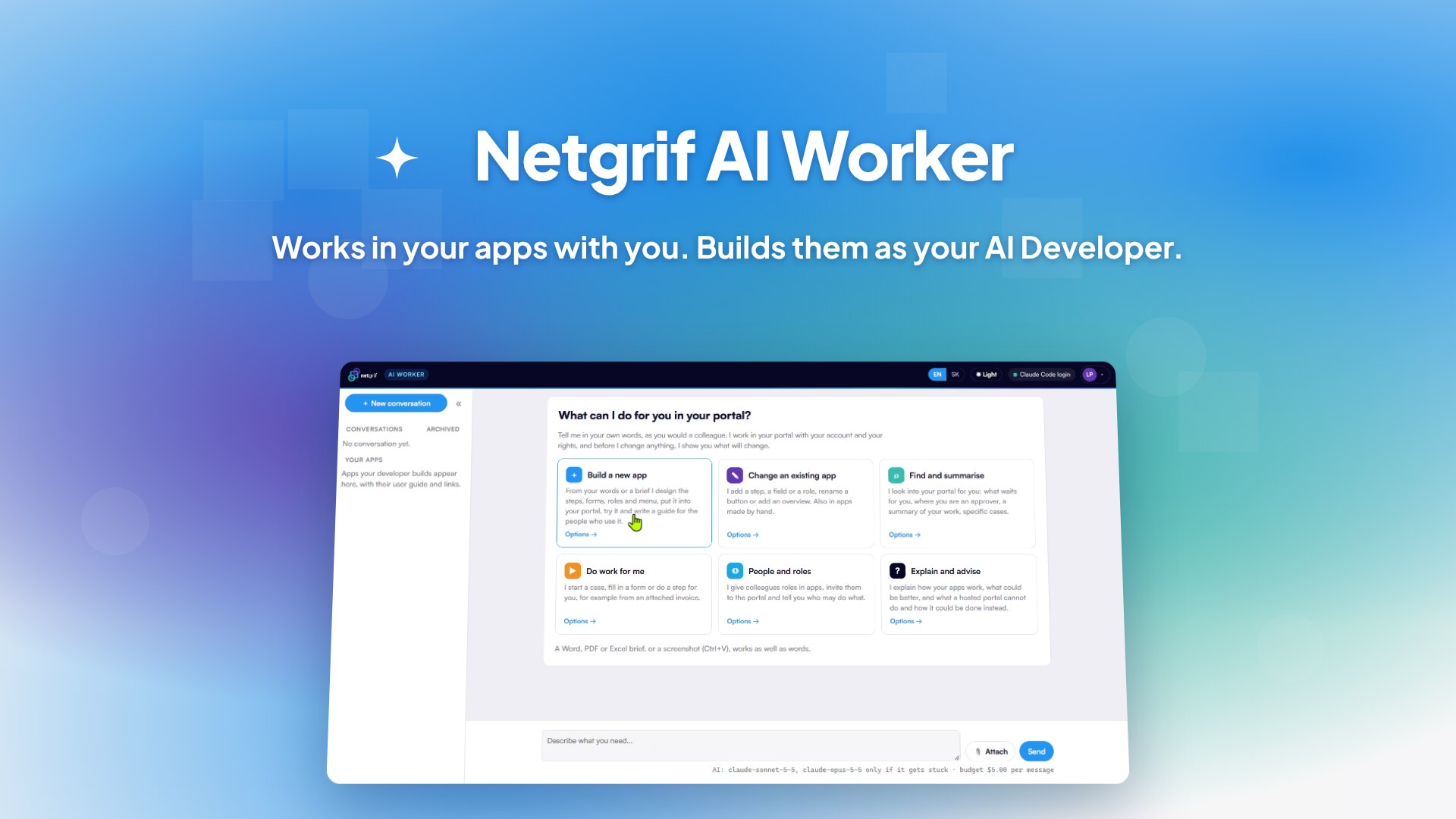 AI Worker in a portal hosted by Netgrif1:53
 AI Developer on your servers: employee onboarding1:29
 AI Developer on your servers: invoices and orders1:38
 AI Worker on your own servers1:19
Work moves from one step to the next.
A request is raised, reviewed and approved. Each step is done by a person or a system. Netgrif models that flow as a Petri net, so it can be run, checked and changed.
Petriflow: the whole process in one object.
Netgrif describes processes in Petriflow, a language for object-centric processes. One definition holds everything a process needs:
- Workflow: the steps and who may take them.
- Data and forms: the fields people fill in and the screens they see.
- Roles and permissions: who may see and do what, declared on the process itself.
- Actions: code only where the logic needs it, for complex, dynamic behaviour.
“Comparable process engines for other recently established object-centric modelling approaches are still missing.”
Object-Centric Process Management: The Manifesto, 2026, by 60+ researchers from top universities, including RWTH Aachen, TU Munich, TU Wien and TU Eindhoven, and many others. Petriflow is such an engine, already in production.
Petriflow in the manifesto →Not sure yet? Prototype it, run it, change it.
Most people start with a problem, not a specification. Describe it, and your AI Developer turns it into a running process app in minutes. Try it with your people, change it in a sentence or in Builder, and the last prototype is already the app.
Every user gets an AI Worker. It goes through the harness, not around it.
Your AI interface to all these apps. It works through the same secure interface as the portal, with your login and rights. Whoever may deploy processes gets it as their AI Developer too.
Nothing changes without your yes, and everything still works by hand in the portal.
“What is waiting for me?”
The tasks you hold and the ones your roles may take.
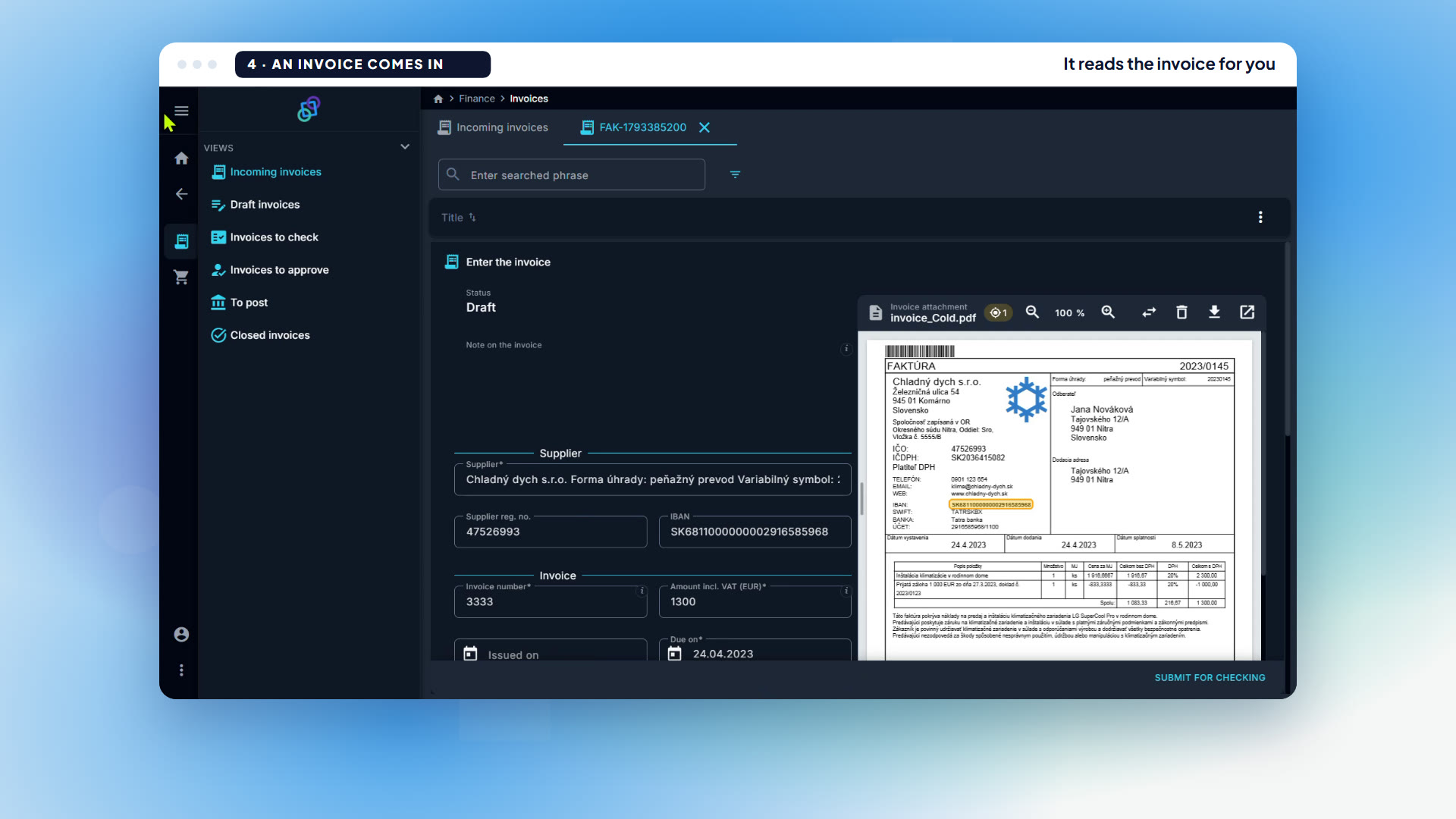
“Make an approval task from this invoice.”
Reads the invoice, starts the case, fills it in and attaches the PDF.
See it work: the AI Worker on a hosted portal
Build an app from a brief, then work in it with the AI Worker · 1:53
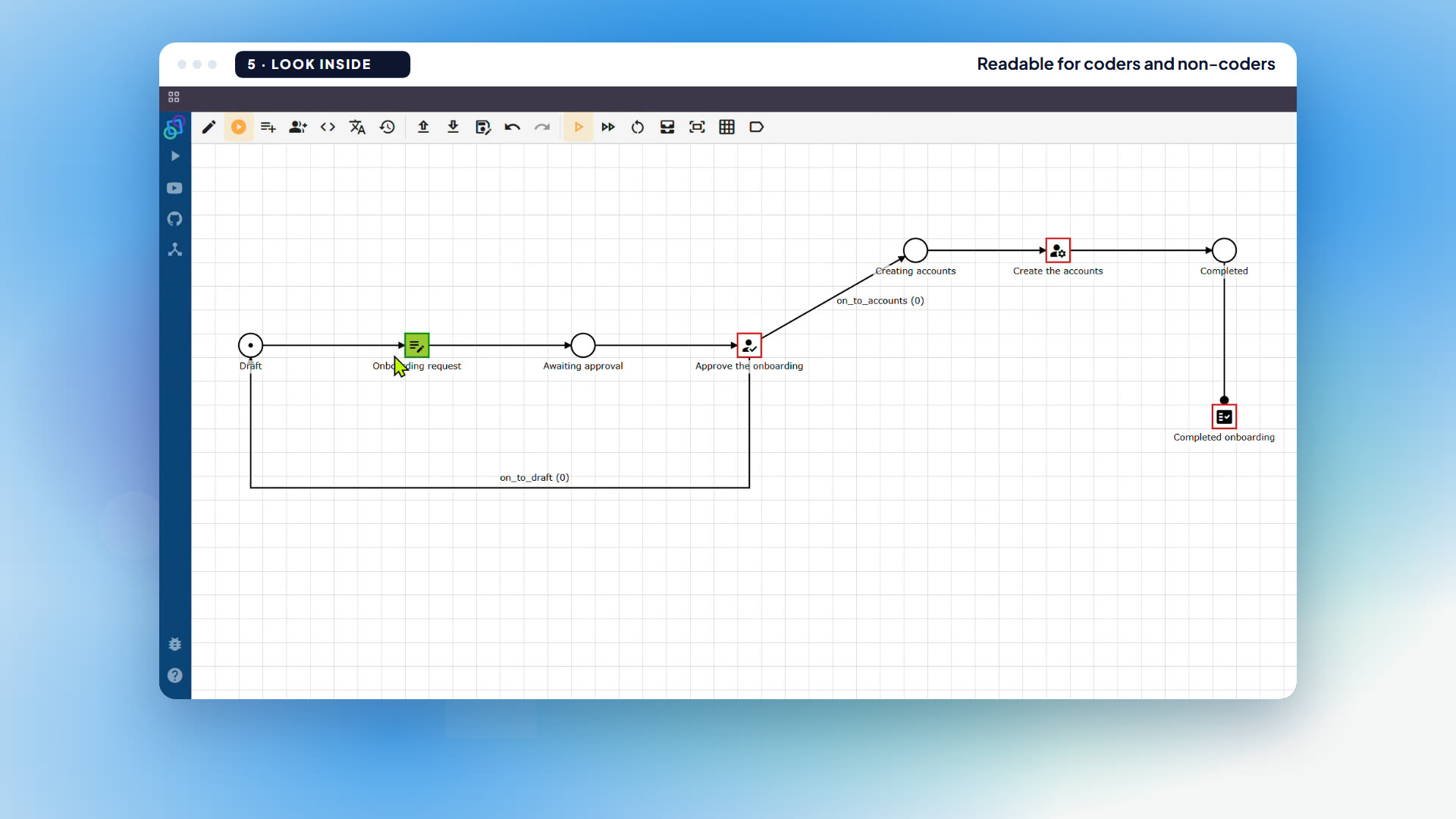
Draw the process. Every task carries its form, data, roles and actions.
Your team can build the same by hand. In Builder you draw the workflow, then click a task. Drag fields onto its form: each field becomes data of the object, and the form only references it. Give the task a role as its permission, and add an action where the logic needs one.
Deploy, and the interpreter runs the Petriflow as it is: a live app in the eTask portal.
Everything you do by click, you can now also do by prompt.
Builder to build and the eTask portal to work in: that stays, for everyone. AI adds a second interface on the same core: your AI Developer builds the apps, your AI Worker works in them with you.
Clicked in Builder or written by AI, it runs the same.
One Petriflow file either way: it opens in Builder and runs in the eTask portal right away.
Everything around your process is already built.
Netgrif is a toolkit for enterprise apps: portal, forms, task engine, identity and permissions, data and search, integrations. You only add your processes in Petriflow, and the engine runs them as a full app.
Classic tools give you part of the stack. AI tools give you an app from a prompt.
Netgrif gives you both, in one model you hold.
| Out of the box | Netgrif | Process engines | Workflow tools | App platforms |
|---|---|---|---|---|
| Executable processes with people in them | ✓ | ✓ | Partly | Partly |
| User portal: tasks, forms, dashboards | ✓ | Partly | No | ✓ |
| Business data with search and audit trail | ✓ | No | No | ✓ |
| Roles and permissions per task | ✓ | Partly | No | ✓ |
| Process, data, UI and roles in one model | ✓ | No | No | No |
| Runs on-premise | ✓ | ✓ | ✓ | Mostly cloud |
| Builds an app from a prompt | ✓ | Partly | Partly | ✓ |
| What the AI builds is one plain file you hold | ✓ | No | No | No |
Typical out-of-the-box scope of each category, not of a single product. A plain file you hold: one Petriflow file per process, in XML; on app platforms the AI’s output lives in the platform’s own format.
Power Apps, Pega, Mendix and OutSystems generate apps from a prompt, and Camunda generates process models. The difference is what comes out, and where it runs.
Workflow, data, forms, roles and actions in one Petriflow file, plain XML you hold. The same file opens in Builder, so your team reads and changes it by hand.
The AI Developer writes it with your own coding assistant in your repository, or right in your hosted portal.
The Community Edition is on GitHub, free for development and testing. Production use is paid. It runs in our cloud or on your own infrastructure.
One process definition runs three things.
The same Petriflow definition serves the people who sign in, the people who never will, and the systems in between.
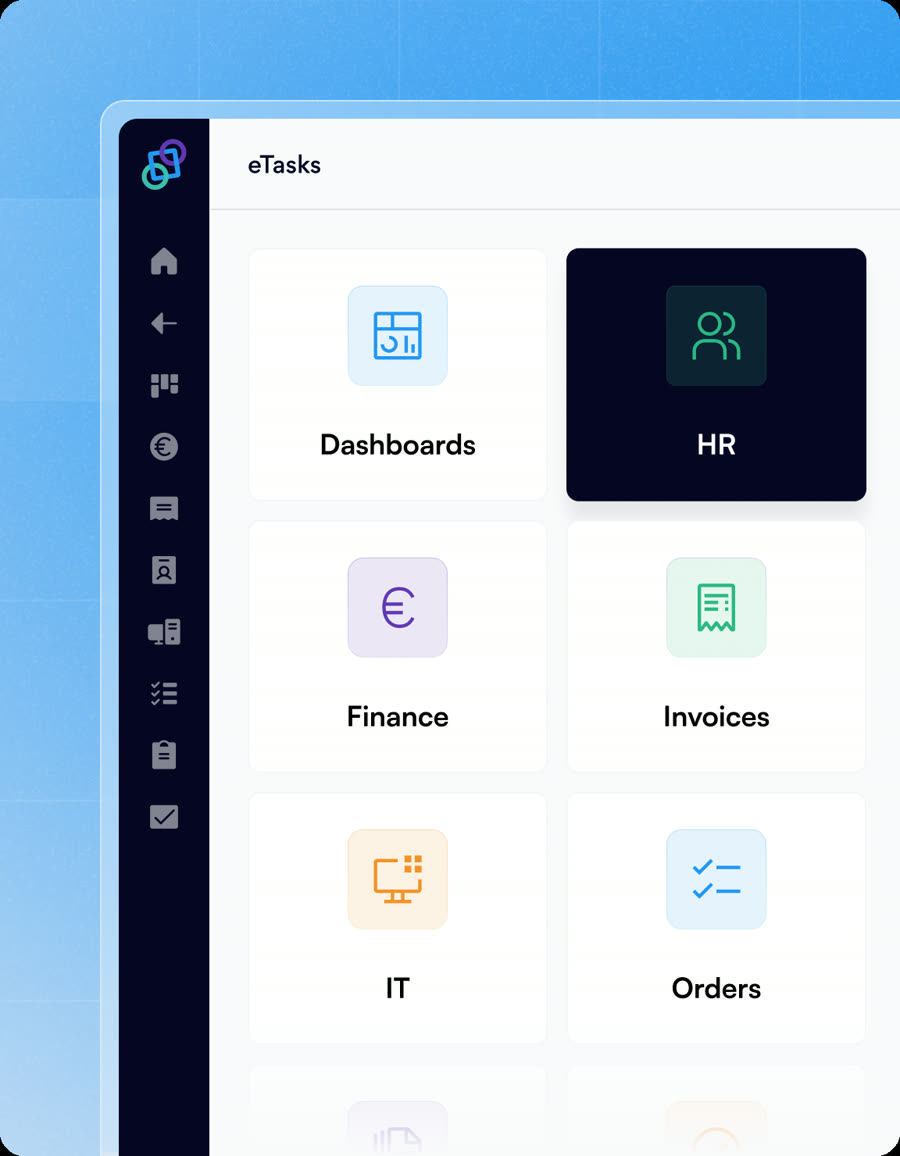
For signed-in users
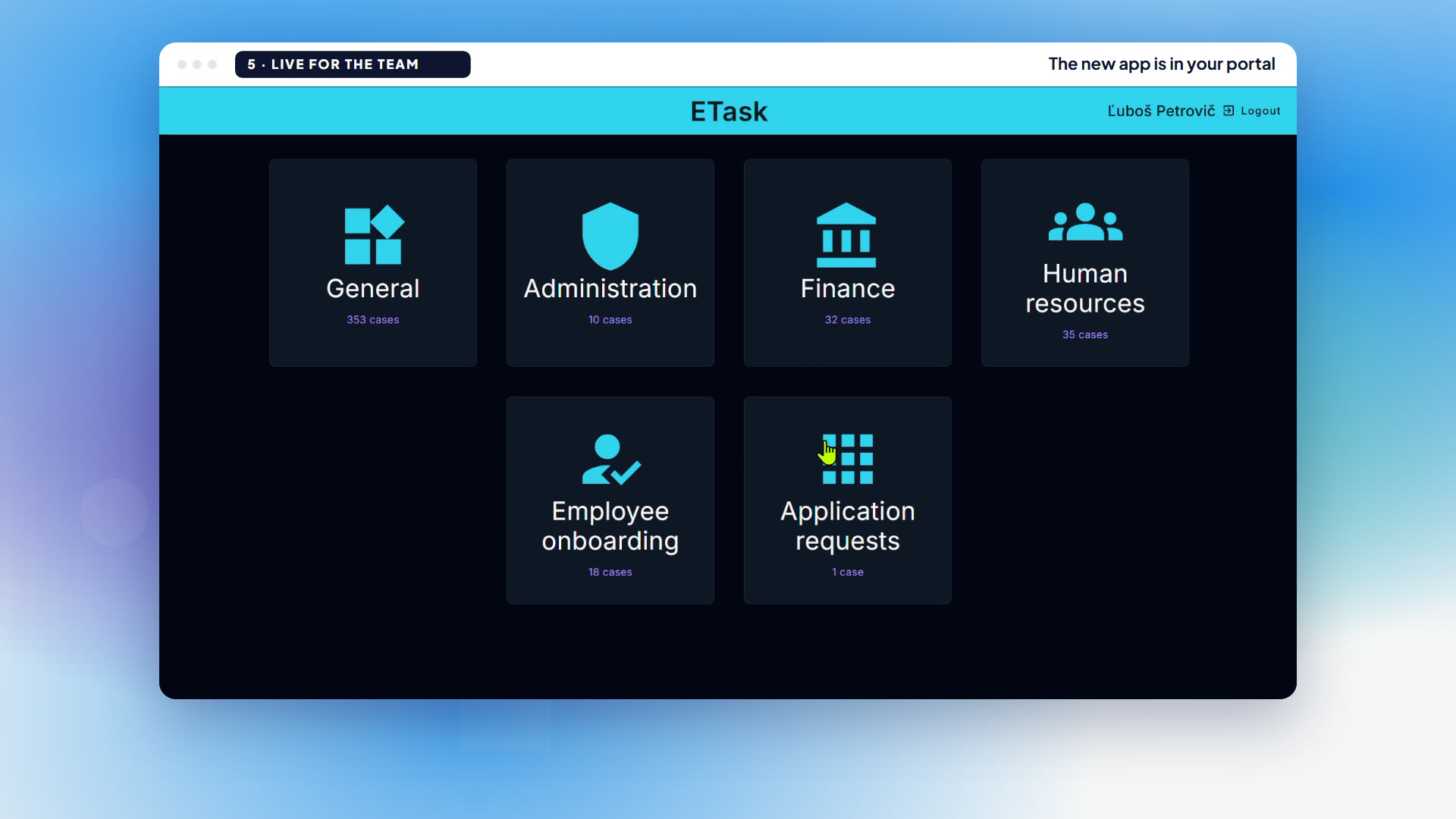
- One portal, a tile per process.
- Tasks, notifications and search work the same everywhere.
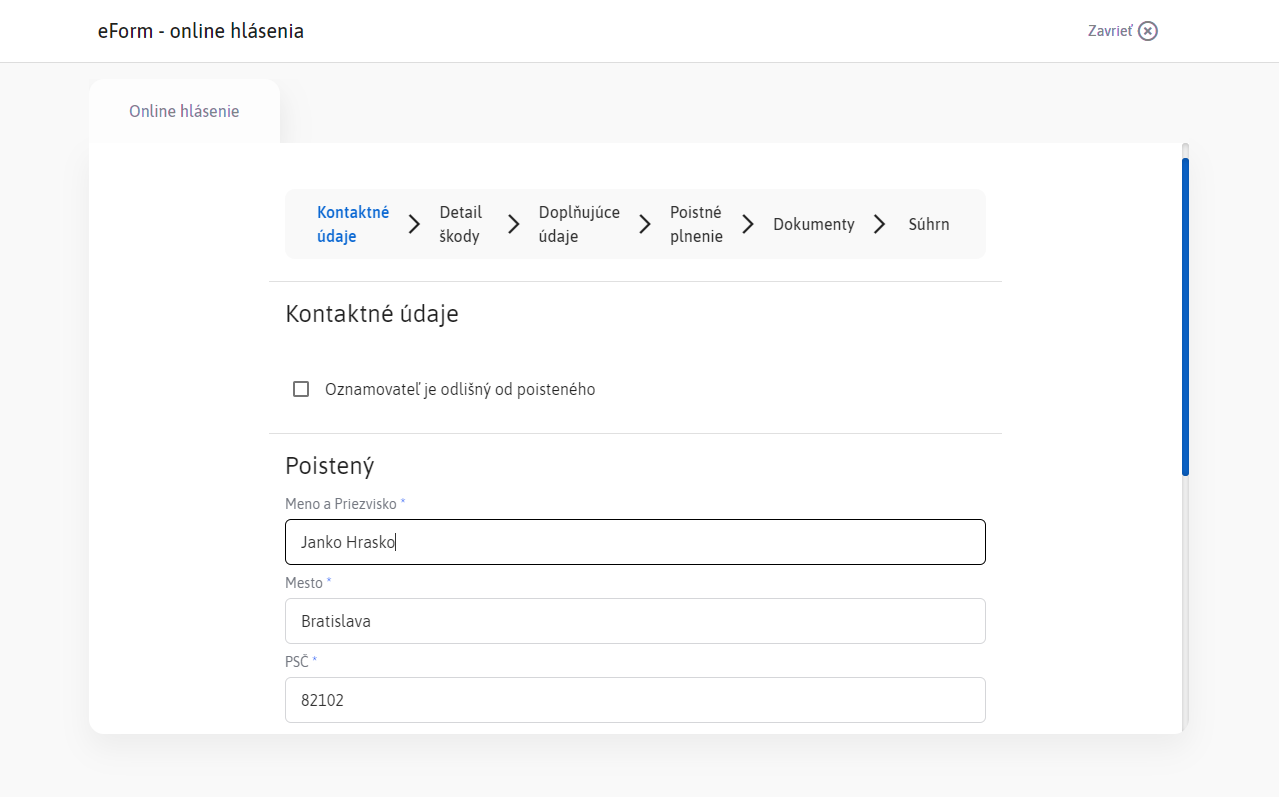
For anyone, no account
- Guided forms in the client’s own branding.
- What they send arrives in eTask as a case.
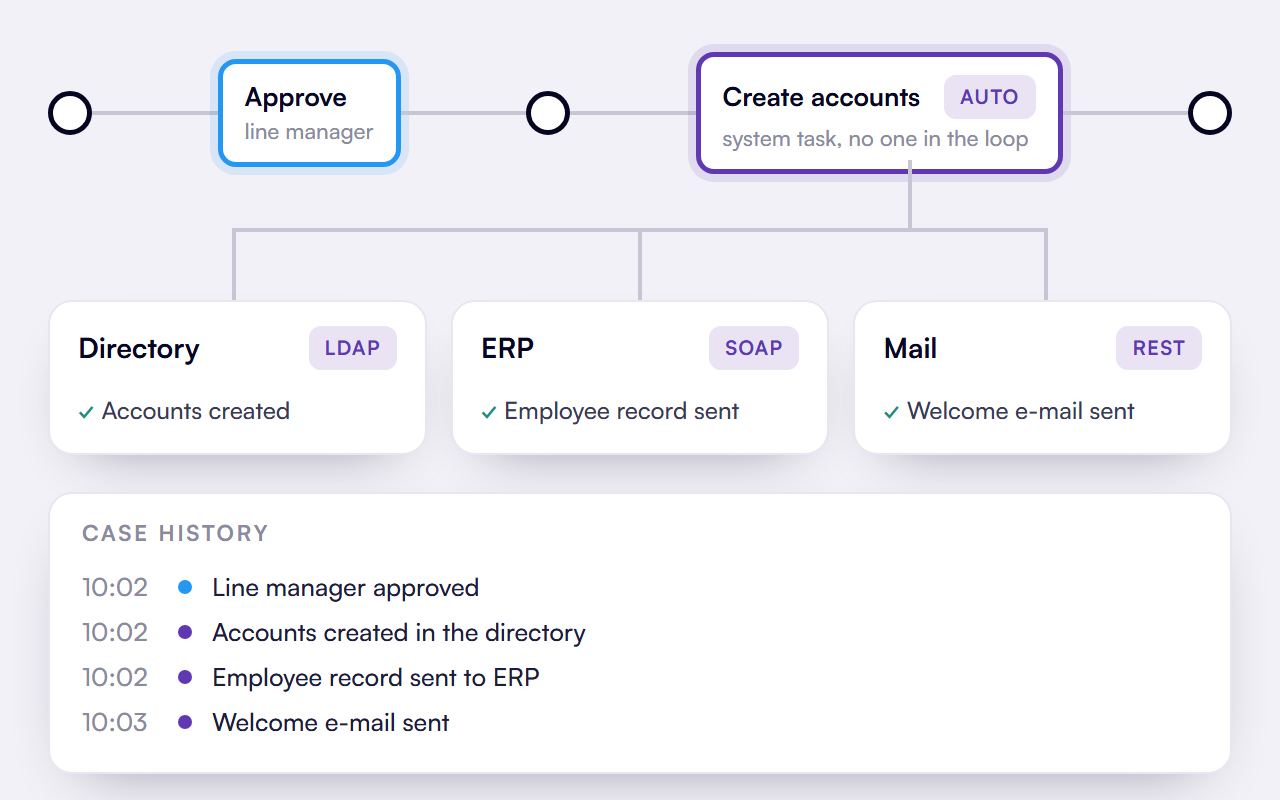
No one in the loop
- Orchestration of the systems you keep, over REST and SOAP.
- One process moves between systems and people.
Free to build. A production key to run it.
Start in a hosted portal, or take the whole platform from the AI-native repository. Develop and test on your machine for free; add a production key to run it on your own servers, where your own coding assistant can also extend the platform.
The same app moves as it is, and the AI Worker comes along.
| In your running portalHosted by Netgrif or on your servers. For everyone in the portal. | In the AI-native repository · from Q4 2026The whole platform on your machine or server. For developers, integrators and partners. | |
|---|---|---|
| AI Worker | Works in the apps with each user: finds their tasks, fills in forms, and nothing changes without their yes. | Comes along: it runs in the portal you deploy from the repository. |
| AI Developer | Builds and changes Petriflow apps and manages roles and people, for anyone allowed to deploy processes. In the browser, from the command line or from your own AI assistant. | Your own coding assistant (Claude Code, Cursor, Codex, Copilot and others) over the whole platform: apps, plus features in Java, components in TypeScript and HTML, integrations, your own look. |
One platform, one Petriflow model, one Netgrif knowledge base. Start in either; an app moves between them as it is.
Employee onboarding
From a Word brief to a live app, built in the repository · 1:29
Invoices and orders
From a finance brief to an approval app that reads the PDF · 1:38
A whole team on your servers
A whole team works with the AI Worker on your servers · 1:19
The questions that actually decide this.
Is a person still in control?
Always. The AI prepares, a person decides, and everything also works by hand.
See it on a process of yoursDo I need to know how to code?
No. You describe what you need and read what it built. Developers come in only to extend the platform.
Book a walkthroughCloud or on-premise?
Both. It runs where your systems run, and the AI Worker works with the AI your company already uses.
Deployment optionsWhen can we have it?
It ships in Q4 2026. We show it to you in person today, on a process of yours.
In production at enterprises today.

AGEL · agenda system
One Netgrif platform for all non-medical agendas across its hospitals: invoices, contracts, orders and notifications. 2000+ active users and an internal team building on Netgrif.

Union Insurance · digital transformation
Part of the Achmea group. End-to-end process automation, multi-channel orchestration, and a portal with dynamic eForms, eTask and dashboards.

Tatra-Leasing · dealer portal
A subsidiary of Tatra Banka and a member of Raiffeisen. An integrated dealer portal for asset financing, on Netgrif.
“Netgrif helped to develop the application for the various forms and shifted this, over time, to an eTask system, our internal enterprise workflow, which is now the backbone of our organization.”
Michal Pápeš, Manager of Enterprise Systems and Process Automation, UnionBring a problem, not a specification.
Leave with a running solution.
A sentence or a document is enough. In our next meeting we run your idea and shape it with you until it fits. By prompt or by hand. You stay in charge.